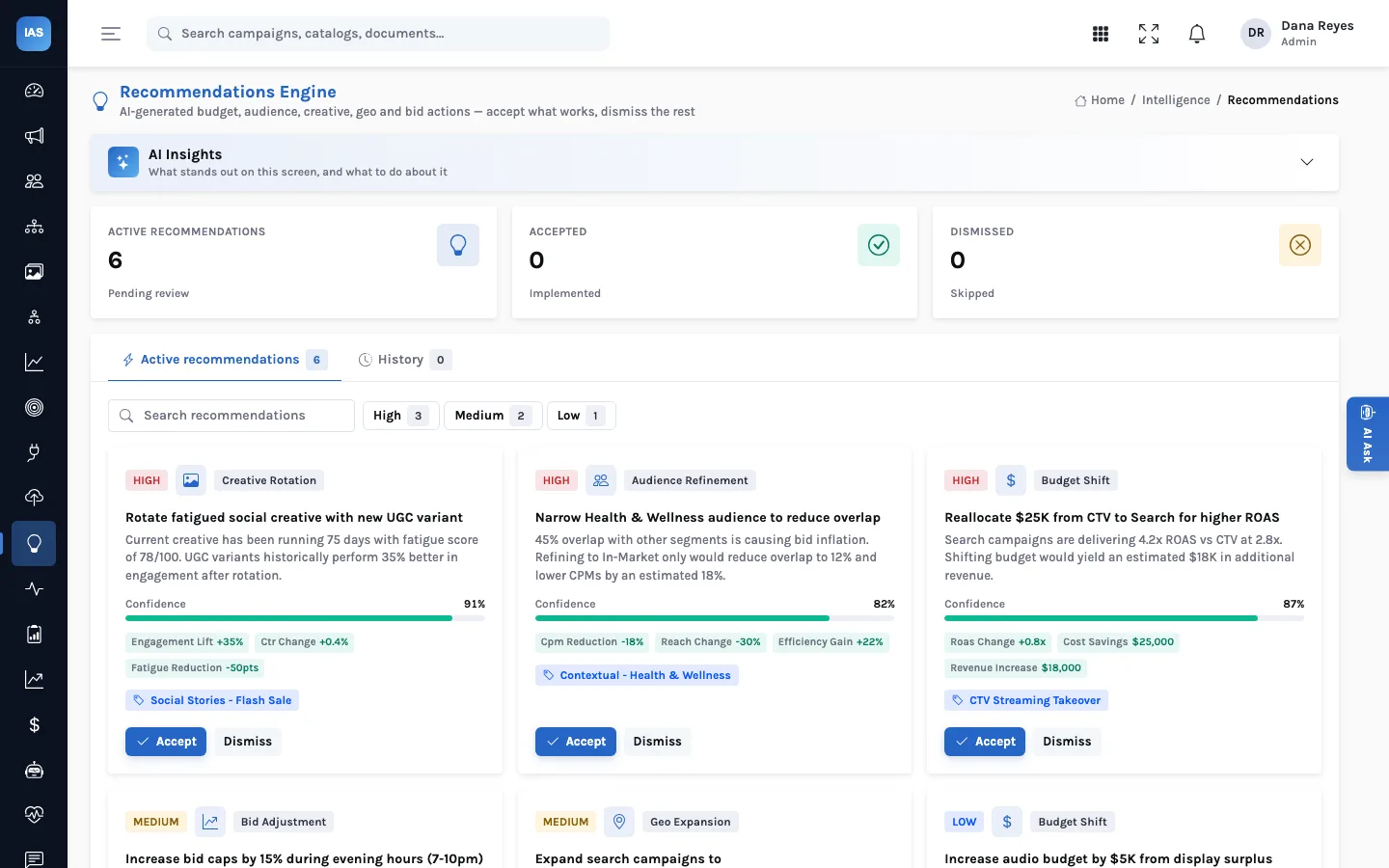
A dashboard tells you what happened. The harder question on a Monday morning is what to change, and who agreed to change it. InsightAdScale's Recommendations screen is a queue for exactly that: specific proposed changes, each with its reasoning, waiting for a person to say yes or no.
Each recommendation names one entity (a campaign, audience or creative), the change, the reasoning, a confidence and the projected impact. The team works the active queue by priority, accepts or dismisses each item, and every decision lands in History with who made it and when.
What a recommendation contains
Every item in the queue carries the same fields, so a buyer can judge it in seconds and an analyst can audit it later:
| Field | What it holds | Example (made-up data) |
|---|---|---|
| Type | One of five kinds of change (below) | Creative rotation |
| Priority | High, medium or low | High |
| Entity | The campaign, audience or creative it applies to | Social Stories: Flash Sale |
| Title | The change, in one line | Rotate fatigued social creative with a new UGC variant |
| Rationale | Why: the evidence behind it | Running 75 days, fatigue score 78/100 |
| Confidence | How sure the proposer is, 0 to 100% | 91% |
| Projected impact | The expected effect, as named measures | Engagement, CTR, fatigue |
The five types match the levers a media team actually pulls: budget shift (move money between campaigns or channels), audience refinement (narrow or split a segment), creative rotation (replace a worn variant), geo expansion (add markets) and bid adjustment (change caps or dayparts).
Where recommendations come from
A recommendation is a record, and it can be created by whoever has the evidence: an analyst who spotted an overlap problem, a bidding model your data science team runs, or a scheduled pipeline that writes proposals through InsightAdScale's API. Creating recommendations through the API is restricted to administrators, so the queue stays a list of things someone stands behind. Reviewing them is open to the wider team.
Working the queue
The active tab counts what is pending, accepted and dismissed. Filter chips narrow the list to high, medium or low priority, and a search box finds proposals by name. Each card shows the evidence and the projected effect, and a tag links it to the campaign, audience or creative it is about, so you can open that record before deciding.
Two buttons decide it. Accept marks the recommendation accepted and stamps the time and the person. Dismiss does the same for a no. Either way it leaves the active queue and moves to History, newest first. Accepting is a decision, not an automatic change: the budget shift or bid change is then made in the ad platform or in the campaign record, by the person who owns it.
Writing a recommendation that gets decided
Whoever creates recommendations, through the API at /api/adscale/recommendations, the quality of the queue depends
on the quality of each item. Only type and title are required; the rest is what makes an item decidable in a
minute rather than parked for a week.
- Name the entity. Fill in the entity type, its ID and its name, so the card's tag points at the exact campaign, audience or creative, not "social".
- Put the evidence in the rationale. "Fatigue score 78 after 75 days; CTR down since week six" can be checked. "Underperforming" cannot.
- Use named measures for impact. Projected impact is a small set of named values, such as a ROAS change, a cost saving or a reach increase. The card shows each one as a chip, formatted as a percentage, a currency amount or a multiple according to its name.
- Give confidence on the 0 to 1 scale. The card turns it into a percentage and colours the bar: green from 80%, amber from 50%, red below.
A geo expansion for a search flight
On Thursday an analyst's script writes a medium-priority geo expansion for a fictional garden-supply advertiser's search flight: add two neighbouring markets, rationale "conversion rate in the current market has held for six weeks; the two markets are in the same delivery zone", confidence 0.64, projected impact as a reach increase. On Monday it sits in the active queue with an amber confidence bar. The buyer opens the campaign from the card's tag, checks the advertiser's delivery map, and accepts. The card moves to History with her name and the time, and she adds the two markets in the search platform that afternoon.
Reading the confidence and impact
Confidence is how sure the proposer is, not a guarantee, and projected impact is an estimate. Treat a high-confidence, low-cost change (rotating a creative that has run for months) differently from a high-impact, hard-to-reverse one (moving a large share of budget off a channel). A sensible rule many teams adopt is to act on high-priority items the same week, and to ask for a second pair of eyes on any budget shift above an agreed size.
How to decide, quickly
| If the change is… | And confidence is… | A sensible default |
|---|---|---|
| Easy to reverse (creative rotation, small bid change) | High | Accept this week; the owner makes the change |
| Easy to reverse | Low or medium | Accept if the rationale checks out on the linked record; otherwise dismiss with a reason |
| Hard to reverse (large budget shift, a market exit) | Any | Check the Budget & Bidding tab and any client commitment first; get a second reviewer |
| Blocked by something outside the data (a contract, a launch) | Any | Dismiss, and write the reason where your team keeps client notes |
These are starting rules, not product behaviour: InsightAdScale records the decision, and your team sets the policy.
Budget context, one tab away
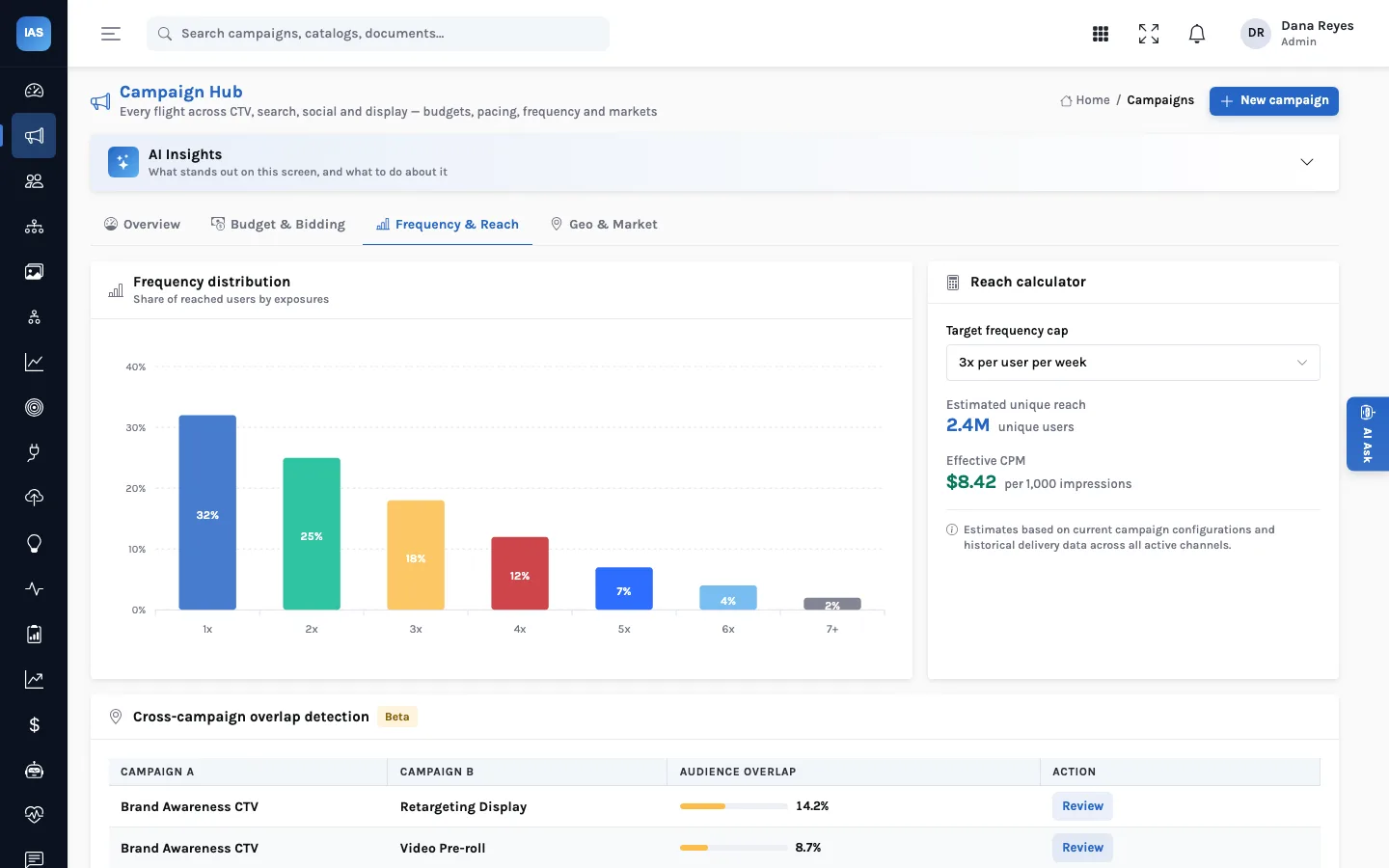
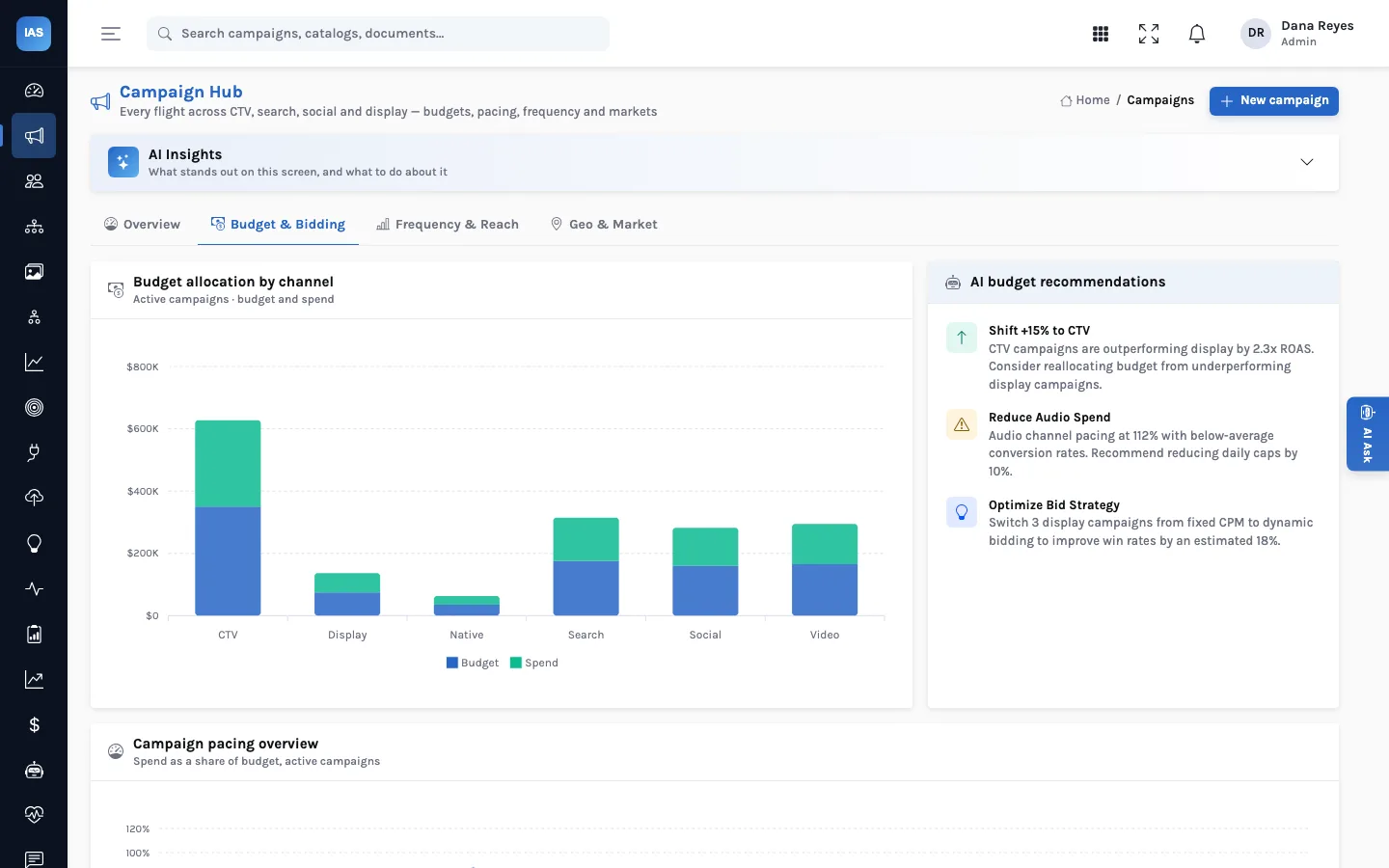
The Campaign Hub's Budget & Bidding tab puts proposals in context: budget and spend by channel side by side, the pacing of every active campaign, and a short list of budget observations. Before accepting a budget shift, it is worth a look.
Why keeping the history matters
Six months on, the most useful question is often "why did we move that money?" History answers it: what was proposed, the evidence given, the confidence claimed, and who accepted or dismissed it on which date. That record also lets you look back at which kinds of proposal tend to be accepted, and which are usually dismissed, and tune whatever generates them.
Questions teams ask
Does accepting change anything on the ad platform?
No. Accepting sets the recommendation to accepted and records when and by whom. The change itself is made by the person who owns the campaign, in the platform or the campaign record.
Can a decision be undone?
Not from the screen in the current build: there is no "reopen" button. If circumstances change, create a new recommendation that says so; the History then shows both, which is usually the more honest record anyway.
Who can accept or dismiss?
Any signed-in user. Creating recommendations is limited to administrators, so a team can open review to buyers without opening the queue to anyone who wants to add to it.
Is there a measure of how useful the queue is?
The Accepted tile shows an acceptance rate across decided items. A rate that falls over time is a signal to look at whatever is generating the proposals, not at the buyers.
See it in a working week: a made-up agency's Monday budget review.