For many agencies, Monday morning is the budget review: which flights are overspending, which are stuck, which audiences are tired, and where the next dollar should go. Done from platform consoles, it takes most of the day and ends in a spreadsheet nobody trusts. This worked example follows a made-up agency doing the same review in InsightAdScale.
Harborlight Media and its Monday review
Harborlight Media (fictional) buys media for nine regional advertisers across connected TV, search, social, display, video and native. Its media director, Priya, runs the review at 9:00 with two buyers. Everyone has the same goal for the hour: leave with a short list of agreed changes, and a record of why.
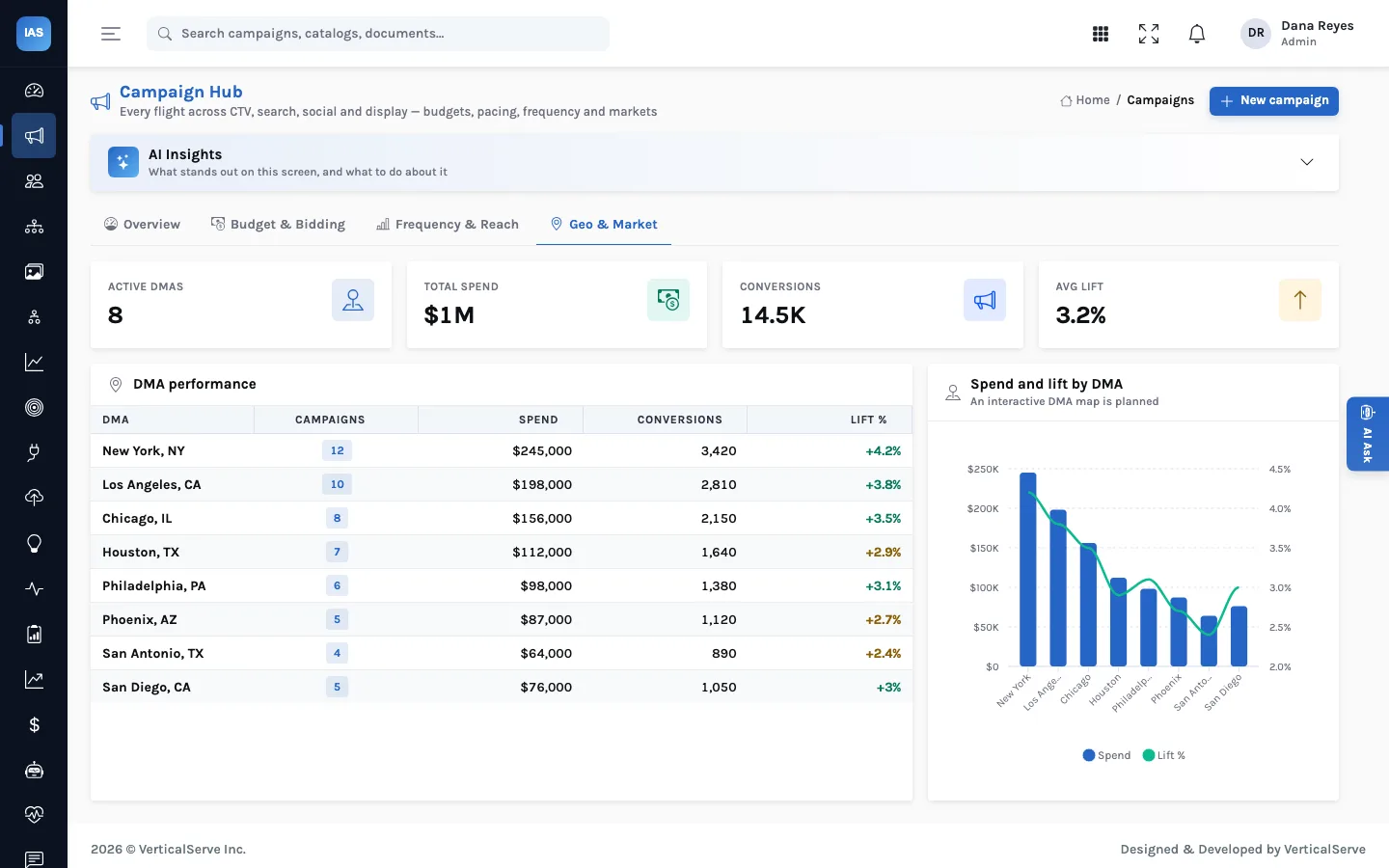
Five stops, in order: the Command Center for triage, the Campaign Hub for pacing, Frequency & Reach for wasted impressions, Geo & Market for where the money is working, and the recommendations queue to record each decision. In the current build the Frequency & Reach and Geo & Market tabs show built-in sample data, so those two stops show the workflow, not an analysis of your campaigns.
Before Monday: ten minutes on Friday
The review only takes an hour if the data is current when it starts. On Friday afternoon one of Harborlight's buyers does three things: updates spend to date on any campaign whose figures are entered by hand, marks finished flights as completed so they stop counting as active, and resolves alerts that have already been dealt with. Stale statuses are the most common reason a Command Center tile and a platform console disagree, and they are the cheapest to fix.
The agenda, time-boxed
| Time | Stop | Leaves with |
|---|---|---|
| 9:00 to 9:10 | Command Center | Three items on the whiteboard |
| 9:10 to 9:25 | Campaign Hub, sorted by pacing | Advertisers who need a call this week |
| 9:25 to 9:35 | Frequency & Reach | Campaign pairs to separate |
| 9:35 to 9:45 | Geo & Market | Evidence for or against geo proposals |
| 9:45 to 10:00 | Recommendations | Accepted, dismissed or left with an owner |
The times are Harborlight's (fictional) and the point is the boxes, not the minutes: when a stop runs over, its open question goes on the whiteboard and the meeting moves on.
1. Triage: the Command Center
Priya starts with the AI Insights summary on the Command Center: utilisation across the portfolio, the channel taking the most spend, one critical alert and six pending recommendations. The tiles agree (spend against budget, blended ROAS, conversions, active campaigns), and the 30-day ROAS trend has a dip mid-month worth asking about. Three things go on the whiteboard: the critical alert, the CTV share of spend, and the pending recommendations.
2. Pacing: who is over, who is stuck
In the Campaign Hub, the buyers sort by pacing. Two flights for one advertiser sit at 75% of budget with weeks left, and a native series is close behind them. A completed holiday search flight shows 100%, as it should. Filtering to one channel at a time keeps the conversation focused; the export goes to the account lead for the advertisers who need a call.
3. Reach: frequency and overlap
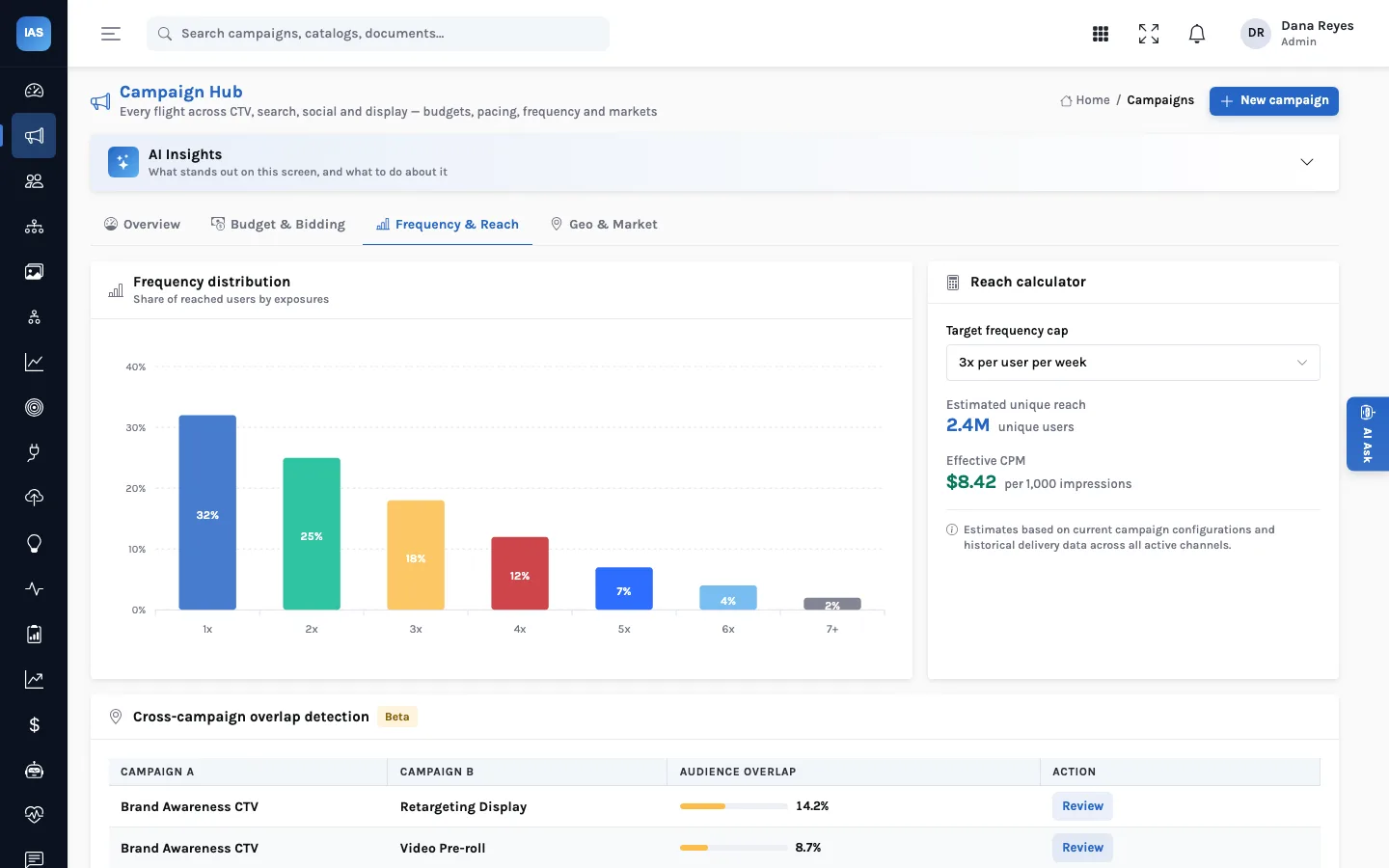
The Frequency & Reach tab shows the share of reached users at each exposure count, and a reach calculator that estimates unique reach and effective CPM for a target frequency cap. Below it, cross-campaign overlap detection (marked beta) is meant to list pairs of campaigns reaching the same people. Because these figures are sample data today, Harborlight does not read its own flights from them; the stop is where the team would look for two campaigns bidding for the same people once reach data is connected, and for now the buyers check frequency in each platform's own reports.
4. Markets: where the money works
The Geo & Market tab is designed to rank markets by spend, conversions and lift. Its figures are sample data in the current build, so they cannot support or rule out a geo proposal. Harborlight uses the stop to decide which proposals need market evidence, and the buyer who owns the search flight pulls that evidence from the search platform's own market report before the decision.
5. Decide: the recommendations queue
Finally the team opens Recommendations and works it by priority.
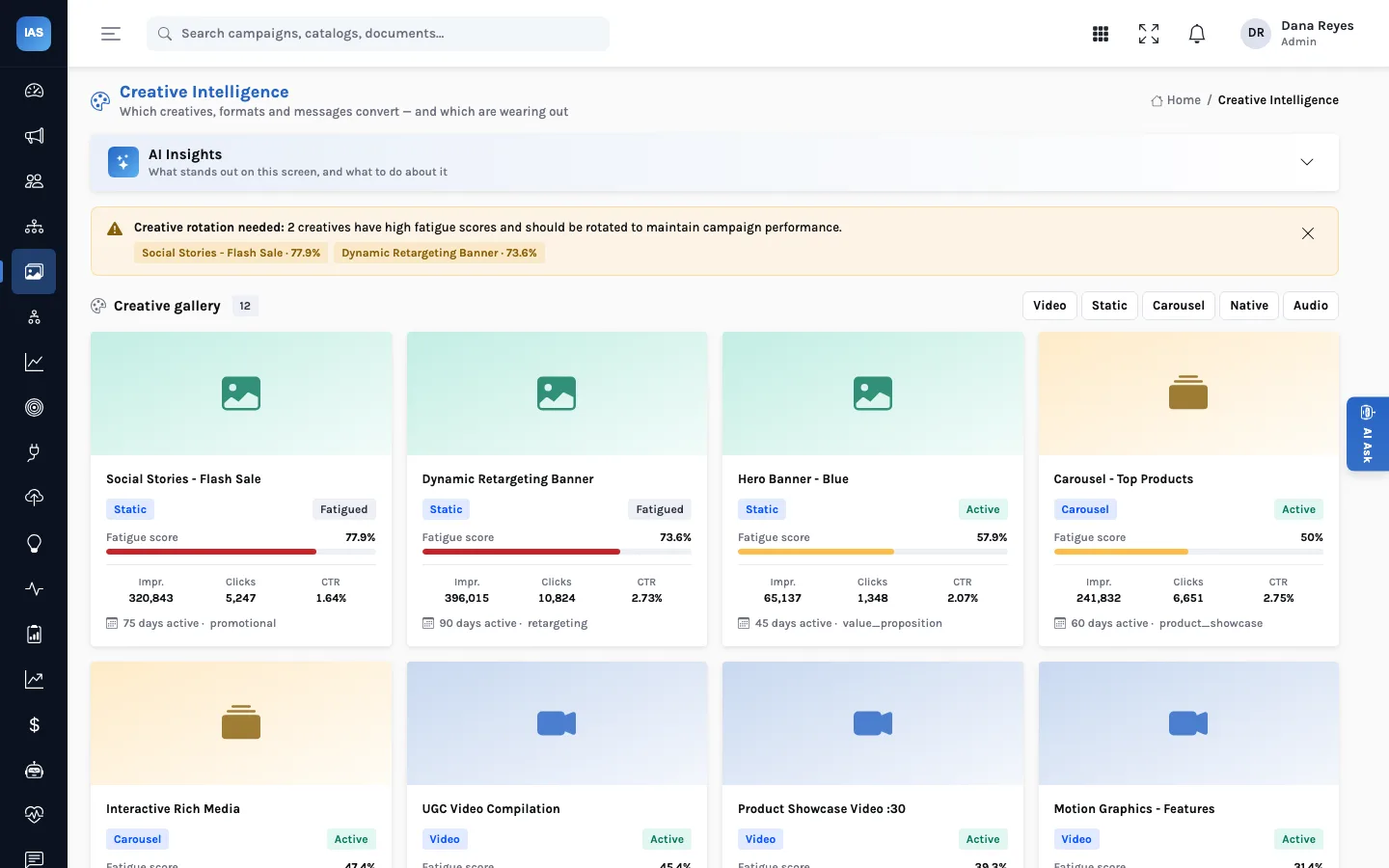
- Creative rotation, high priority. The flash-sale social creative has run for 75 days and its fatigue score is high. Accepted; the creative lead swaps in the new variant on Tuesday.
- Audience refinement, high priority. The contextual health segment overlaps heavily with others. Accepted, with a note to re-check overlap next Monday.
- Budget shift from CTV to search. Priya dismisses it for now: the advertiser has a CTV commitment through the month. The reason goes in the client notes, and the dismissal is in History.
- Geo expansion and bid adjustment, medium. The geo expansion is accepted once the buyer has checked the search platform's market report; the evening bid increase is left in the queue for the buyer who owns that flight.
Four decisions, all on the record
By 10:00 the team has accepted three recommendations, dismissed one with a reason, and left one for its owner. Each accepted change is made in the relevant ad platform that day. When the advertiser asks in a month why CTV kept its budget, the answer is in History: proposed, considered, dismissed, by whom and when.
When the numbers don't agree
Sooner or later a client's platform console shows a different spend from the Command Center. Harborlight's order of checks:
- Is the campaign's status right? A finished flight still marked active is counted in the active tile.
- When was spend to date last updated? The Command Center shows what was loaded, not what the platform shows this minute.
- Does the external ID on the campaign match the platform's campaign? A duplicate or mistyped ID means two records, or none.
- Is the currency the same? Each campaign carries its own currency, and mixed currencies make portfolio totals meaningless.
The mid-month ROAS dip from step 1 gets the same treatment: the trend is built from daily revenue and spend in the metric records, so the first question is whether a day's revenue is missing, and only then whether performance changed.
Questions agencies ask
Can one workspace hold several advertisers?
Yes. Every campaign carries an advertiser name and a market, and the Campaign Hub shows the advertiser column. Filters cover channel and status; put the advertiser in campaign names as well, so the search box finds an advertiser's flights reliably.
Can we send a client the review?
Export the Campaign Hub table for the numbers, and use History for the decisions. Edit the AI summary before quoting it; it covers the whole portfolio, not one client.
Who should be allowed to accept?
Anyone signed in can accept or dismiss, so the rule is a team rule: in Harborlight's case, the buyer who owns the flight, or the media director for budget shifts across advertisers.
Making it a habit
- Same order every week. Triage, pacing, reach, markets, decide. The order stops the loudest channel taking the hour.
- Decide in the queue, not in chat. A decision in a message thread is lost by next month; one in History is not.
- End with owners. Every accepted recommendation needs a person who will make the change in the platform this week.